



AliExpress Coins are reward points you can earn and redeem for discounts on eligible products. You can collect them for free in the mobile app and unlock larger discounts through special coin offers.
This guide explains how to earn AliExpress Coins, find eligible deals, and apply coin discounts. You’ll also learn why coins may not be credited, when they expire, and whether you can get them back after canceling an order.
- What Are AliExpress Coins and How Do They Work?
- Where to Find Coins in the AliExpress App
- How to Earn AliExpress Coins
- Daily Check-In Rewards
- Earn Coins by Completing Tasks
- Coins for Purchases and Other Activities
- How to Use AliExpress Coins for Discounts
- How to Find Products with Coin Discounts
- How to Apply Coins at Checkout
- How Coin Discounts Are Calculated
- Why AliExpress Coin Discounts Aren’t Working
- Why You Can’t Use Coins on Certain Products
- Coin Discount Is Lower Than Advertised
- Coin Discount Disappears at Checkout
- Why You’re Not Getting AliExpress Coins
- How Long Do AliExpress Coins Last?
- Do You Get AliExpress Coins Back After Canceling an Order or Returning an Item?
- Frequently Asked Questions
What Are AliExpress Coins and How Do They Work?
AliExpress Coins are reward points that users can collect and redeem for discounts on purchases. They can only be used on eligible products, and the available discount depends on the terms of each offer.
Each coin is worth approximately $0.01 in discounts, although the actual value may vary depending on the currency and exchange rate. AliExpress sets limits on how many coins can be used for a single order.
Coins are not money or a standalone payment method. They cannot be withdrawn to a bank card, exchanged for cash, or transferred to another user.
Where to Find Coins in the AliExpress App
To access the Coins section, open the AliExpress mobile app and sign in to your account. The Coins icon is located in the upper-right corner of the home screen, above the search bar. You can also access this section through Account. The icon’s location may vary depending on the app version.
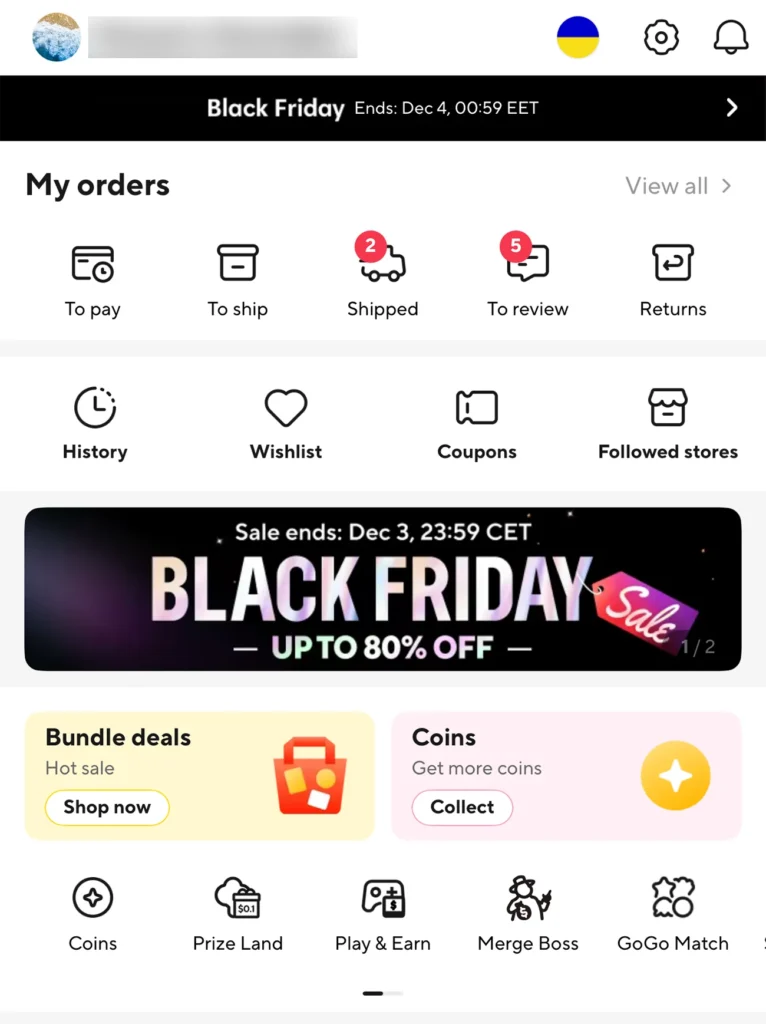

On the Coins page, you can check your current balance, claim available rewards, and find products offering coin discounts.
To view your coin transaction history, tap your total coin balance. Here, you can see the coins you’ve earned, spent, and lost due to expiration.
How to Earn AliExpress Coins
You can earn AliExpress Coins for free by completing activities in the mobile app. You don’t need to make purchases to collect them.
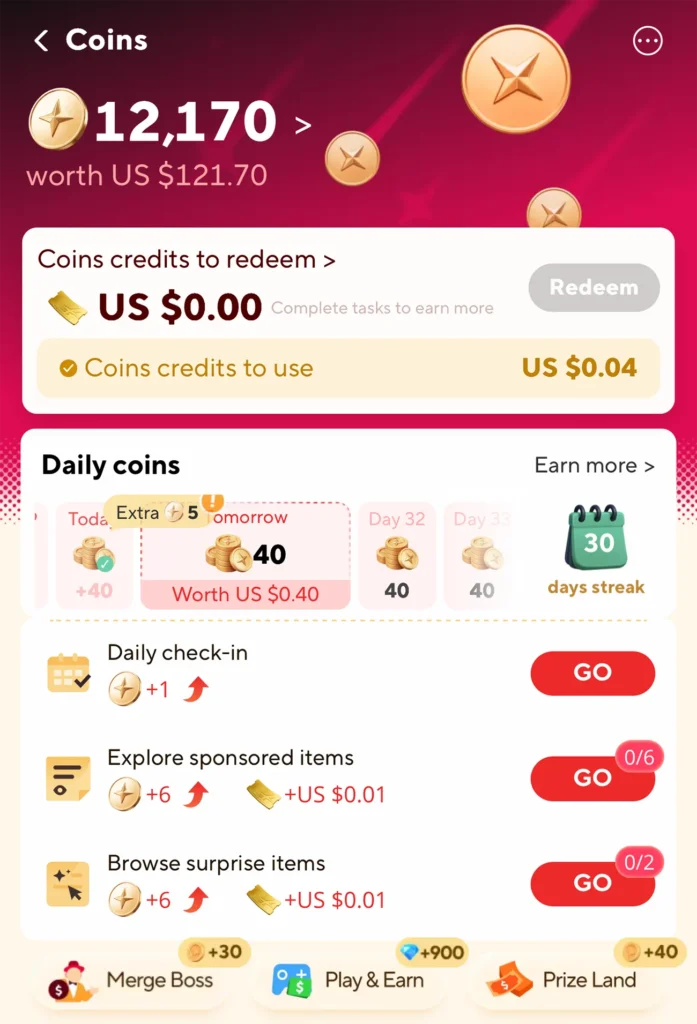

Daily Check-In Rewards
To claim your daily reward, open the Coins section in the AliExpress mobile app and tap the button to collect your coins.
Your daily reward increases with consecutive check-ins, up to a maximum of 40 coins per day. If you miss a day, your streak resets.
Earn Coins by Completing Tasks
You can earn additional coins in the Earn More section. AliExpress offers tasks with specific coin rewards, such as browsing products or visiting certain pages in the app.
To earn the coins, you must meet the requirements of each task. If a claim button appears after completing a task, tap it to collect your reward.
Coins for Purchases and Other Activities
AliExpress may award coins for purchases that meet the program’s requirements. Each offer specifies how many coins you can earn and how to claim them. In some cases, you need to claim your coins separately after making a purchase.
Additional rewards may also be available through in-app games and limited-time promotions. You can find the available activities and their rules in the app.
How to Use AliExpress Coins for Discounts
On AliExpress, you can use coins for regular discounts or take advantage of special offers in the Coins section. The discount on the same product may vary depending on how you place your order.
How to Find Products with Coin Discounts
Products eligible for coin discounts may display a label showing the discount percentage. You can also find special coin offers in the Coins section of the mobile app.
The advertised discount percentage doesn’t always reflect the amount you’ll actually save, so check the final discount at checkout.
How to Apply Coins at Checkout
AliExpress automatically applies available coins to eligible products during checkout. The discount amount appears in your order summary.
To use a special coin offer, find the product in the Coins section and tap Buy Now. If you add the same product to your cart and check out normally, the discount may be lower. Check the final order total before paying.
How Coin Discounts Are Calculated
The maximum discount depends on the terms of the specific product offer and your available coin balance.
For example, if a product costs $20 and offers a 10% coin discount, you can save up to $2, which requires approximately 200 coins. If you only have 150 coins, your discount would be approximately $1.50.
Coin discounts are calculated based on the price of eligible products after any discounts that take precedence have been applied. Shipping costs, taxes, import duties, and additional services are excluded from this amount. Coins can also be combined with other coupons and discounts when permitted by the offer’s terms.
Why AliExpress Coin Discounts Aren’t Working
Even with coins available, your discount may not apply, be smaller than expected, or disappear during checkout. This can happen because of product restrictions, how you place your order, or changes to a special offer.
Why You Can’t Use Coins on Certain Products
Not all AliExpress products are eligible for coin discounts. If the seller or AliExpress doesn’t offer a coin discount on a particular product, you won’t be able to apply one. Having a large coin balance doesn’t override this restriction.
Look for a coin discount label on the product listing. If there isn’t one, try finding a similar item among the special offers in the Coins section.
Coin Discount Is Lower Than Advertised
The actual discount at checkout may be smaller than the advertised offer suggests. This can happen if you don’t have enough coins, the offer limits how many you can use, or other discounts have already reduced the product’s price.
How you place your order also matters. Adding a product with a special coin discount to your regular shopping cart may result in a lower discount. Try returning to the product listing through the Coins section and tapping Buy Now. Compare the actual savings shown in your order summary rather than relying solely on the advertised percentage.
Coin Discount Disappears at Checkout
If a discount appeared on the product page but disappeared before payment, check whether the original offer is still available. Special offers may change or expire. Also review the selected product variant, quantity, and checkout method.
If the offer is still active, return to the product through the Coins section and review the final price before paying. If you suspect a temporary app issue, update the app or try again later. If the discount still doesn’t appear, contact AliExpress customer support and provide screenshots showing the offer’s terms and your order summary.
Why You’re Not Getting AliExpress Coins
If you’ve stopped receiving coins or your daily rewards have decreased, the reason may be changes to the rewards program, unclaimed bonuses, or technical issues.
- Reduced daily rewards. AliExpress may change the number of coins awarded for daily check-ins. Previously, the maximum daily reward was 70 coins, but it is now 40. This reduction can happen even if you haven’t missed a day. If your streak has reset, check whether you missed a daily check-in.
- Uncompleted tasks or unclaimed rewards. Check whether you’ve completed the task and claimed your coins. Some tasks require you to tap a separate button to collect your reward after completing the required action.
- Coins not awarded for purchases. Coins are awarded only for orders that meet the terms of a specific offer. Simply paying for an order doesn’t guarantee a coin reward. In some cases, you need to claim your coins separately after making a purchase.
- Account restrictions. AliExpress may limit coin rewards if you violate the program’s rules, including by using automated tools to collect coins. However, a reduction in daily rewards alone doesn’t mean your account has been restricted.
- Technical issues. If you’ve met all the requirements but haven’t received your coins, check your coin transaction history and reopen the app. If the problem persists, contact AliExpress customer support, explain which activity or order you didn’t receive coins for, and provide relevant screenshots.
How Long Do AliExpress Coins Last?
AliExpress Coins expire at the end of the calendar month six months after they are earned. Any unused coins are automatically removed from your balance once they expire. You cannot extend their validity or recover expired coins.
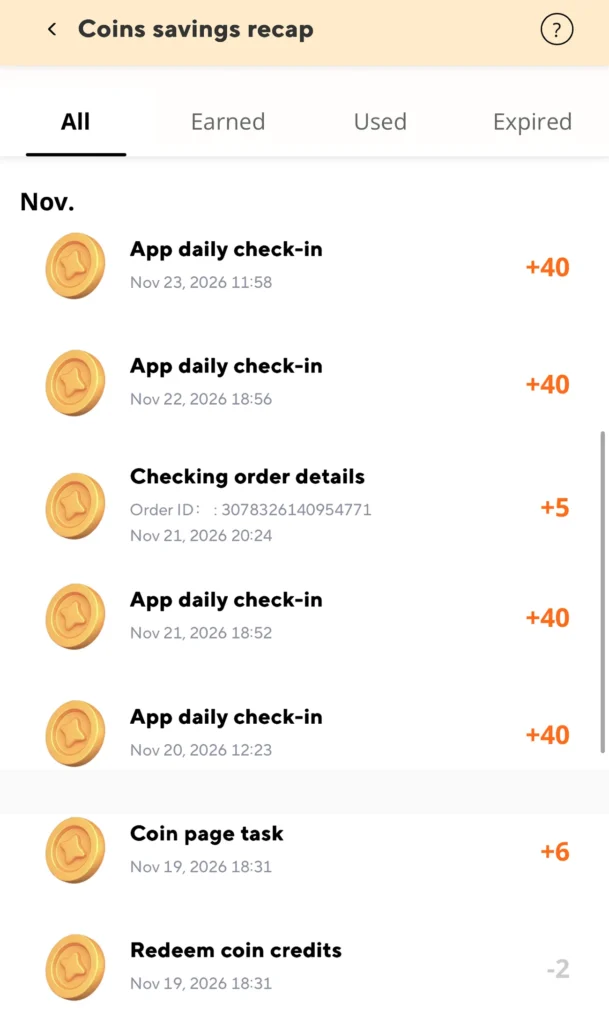

The expiration date depends on when you earned your coins. For example, coins earned on January 10 or 20 will expire on July 31, while those earned in February will expire on August 31. Earning new coins does not extend the expiration dates of coins you already have, so part of your balance may expire even if you continue collecting daily rewards.
To see which coins have already expired, open your coin balance history and select Expired. To find out when your remaining coins will expire, check when they were earned and count six months forward to the end of that month.
Do You Get AliExpress Coins Back After Canceling an Order or Returning an Item?
AliExpress may return coins used for discounts when you cancel an order or return a product. Under Section 4.8 of the program’s terms, whether you get your coins back depends on which items are refunded and whether the coins are still valid.
- Full order cancellation or refund. If you cancel the entire order or receive a full refund for all items, the coins you spent are returned to your balance.
- Refund for all units of one product. If your order includes different products and you receive a refund for every unit of a particular product, AliExpress returns the corresponding portion of the coins you spent. You can keep the other items in the order.
- Partial refund for identical items. If you buy several units of the same product but receive a refund for only some of them, the coins used for that product are not returned. For example, if you buy three identical items and get a refund for two, you won’t get those coins back.
Important: Your coins must still be valid when the refund is processed. If they have already expired, AliExpress will not restore them, even if you cancel the entire order or receive a refund for the returned items.
Frequently Asked Questions
Can you exchange AliExpress Coins for coupons or promo codes?
No. AliExpress previously allowed users to exchange coins for coupons, but this feature has been discontinued. Coins cannot be exchanged for promo codes either. Older guides describing coin exchanges refer to a feature that is no longer available.
Can you pay for an entire purchase with AliExpress Coins?
No. Coins can only be used for partial discounts on eligible products. You cannot use them to cover 100% of a purchase, even if you have enough coins to match the full price.
Can you combine AliExpress Coins with seller coupons and promo codes?
Yes, all three discounts can be combined in a single order if their respective conditions are met. Seller coupons apply to eligible products from a particular store, promo codes have their own requirements, and coins provide additional discounts on participating products. Check your order summary before paying to confirm that all applicable discounts have been applied.
Can you use AliExpress Coins on the website without the mobile app?
Yes. Coin discounts may apply when you check out on the AliExpress website using coins you’ve already earned. However, daily check-in rewards and full access to special offers with higher coin discounts are available through the mobile app.
What’s the difference between AliExpress Coins and game points?
AliExpress Coins are used for product discounts, while game points can be exchanged for rewards in the Play & Earn section, including coupons and shopping credits. These are separate rewards programs, each with its own balance and redemption rules.