
Contacting AliExpress customer service can be challenging even before you get a chance to ask a question. It is not always clear how to access live chat, get past the automated responses from the Eva virtual assistant and speak to a support agent, or what to do if the response you receive does not resolve your issue.
This article provides practical guidance to help you understand how AliExpress customer service works, avoid unnecessary steps, and get the assistance you need, even in more complicated situations. The information is based on hands-on testing of the AliExpress website and mobile app interfaces conducted in 2026.
- When to Contact AliExpress Customer Service
- How to Contact AliExpress Customer Service
- On the AliExpress Website
- In the AliExpress Mobile App
- How to Contact Support Without Access to Your Account
- How to Contact an AliExpress Support Agent
- Language Settings and Translation in AliExpress Live Chat
- How to Write a Customer Service Request
- Ending the Chat, Service Ratings and Chat History
- What to Do If AliExpress Customer Service Doesn’t Help
When to Contact AliExpress Customer Service
Choosing how to resolve an issue on AliExpress depends not only on the nature of the problem but also on the outcome you want to achieve. Even issues involving the same order may require different approaches, so contacting a support agent is not always necessary or the most effective option.
| How to Resolve an Issue | Purpose |
|---|---|
| AliExpress Customer Service | Account issues, technical problems, difficulties with payments, promo codes and rewards programs, platform restrictions, and clarification of AliExpress policies and decisions. Learn more: signing in to your account, payments, technical issues. |
| Contacting the Seller | Clarifying product specifications, compatibility, what’s included and product availability, checking shipping conditions and dispatch times, and confirming order details. Learn more: contacting the seller. |
| Disputes, Returns and Refunds | Opening disputes for items that have not arrived, arrived damaged or do not match their descriptions, requesting returns and obtaining refunds. Learn more: disputes and refunds, returning an item. |
You do not have to rely on a single approach to resolve an issue. Information from the seller and clarification from customer service can help you prepare a well-supported claim. However, agreements reached in chat do not necessarily mean that changes have been made to your order or that an official decision has been made. Always verify the actual outcome of your request directly on AliExpress.
How to Contact AliExpress Customer Service
AliExpress does not offer official local phone numbers or WhatsApp numbers for customer support in most countries and regions where it operates. The main customer service channel is live chat, available 24/7 through the Help Center. The Help Center also provides answers to frequently asked questions and self-service tools for resolving issues.
On the AliExpress Website
You can open the AliExpress Help Center using the direct link or by navigating through the website:
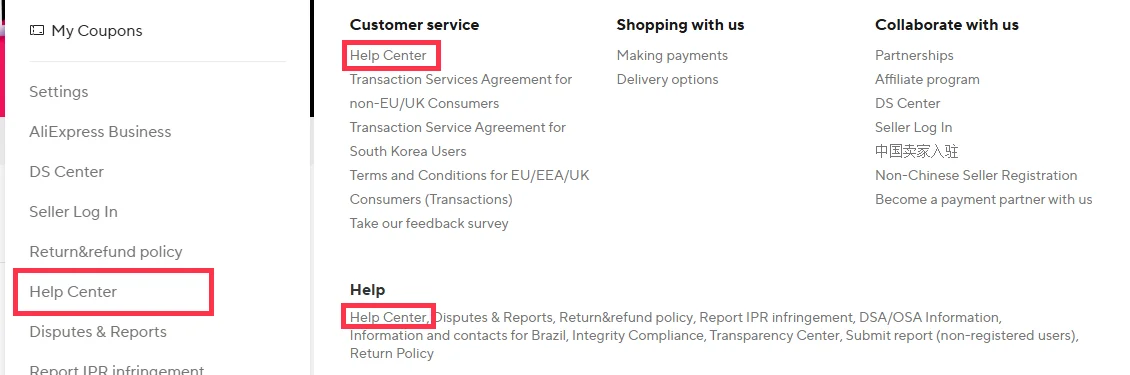
- At the top of the website, hover over Account and select Help Center.
- In the website footer, find the Customer service section and click Help Center.
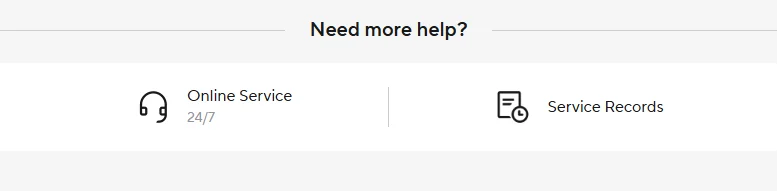
In the Help Center, scroll down to the Need more help? section and click Online Service. This will open a chat window with the Eva chatbot. A separate direct URL for the chat itself has not been confirmed.
If the Help Center or live chat does not load, try using a different browser or accessing customer service through the AliExpress mobile app.
In the AliExpress Mobile App
To open live chat in the mobile app, follow these steps:
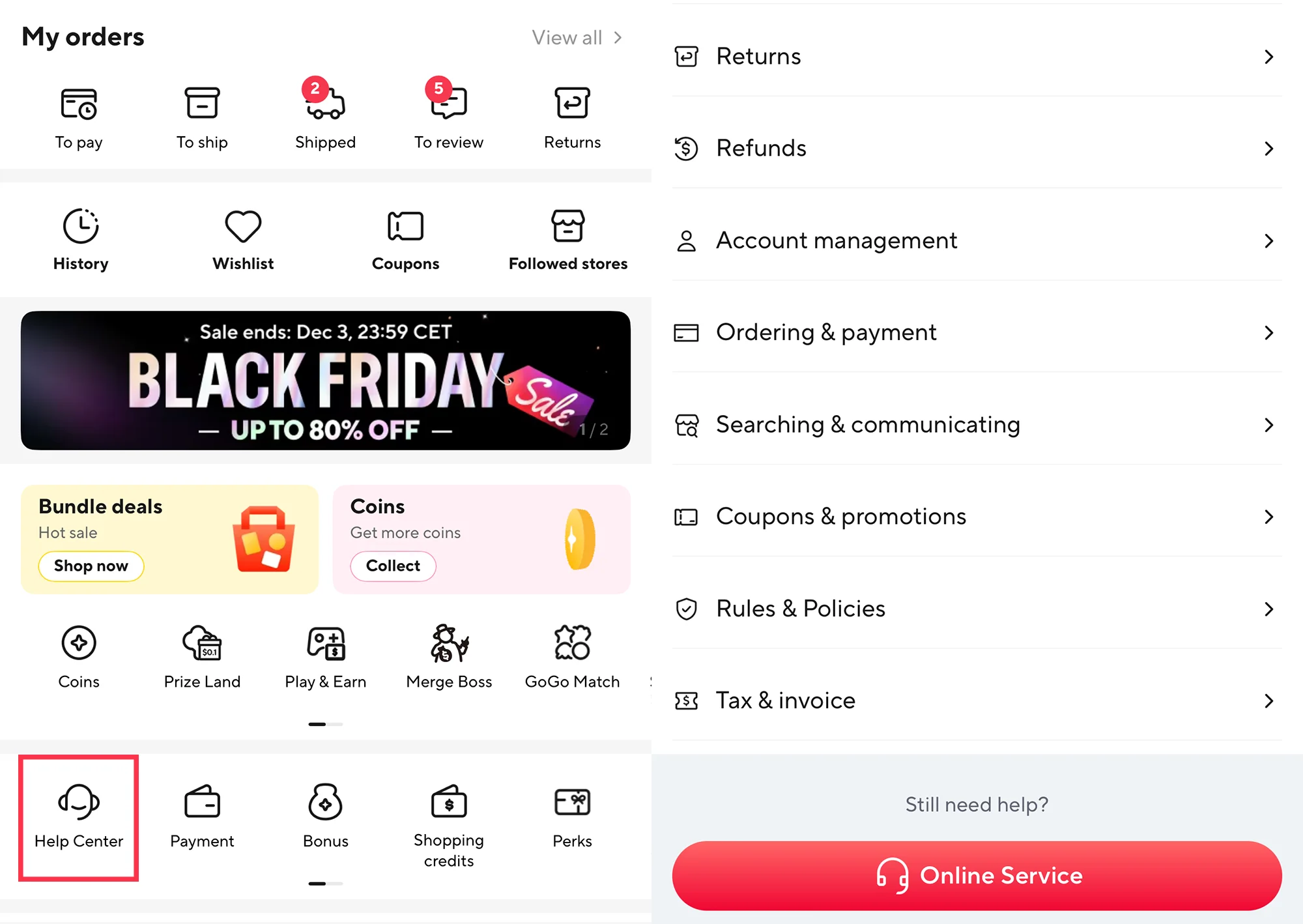
- Go to the Account tab in the bottom navigation menu.
- Find and open the Help Center.
- Scroll down to the Need more help? section and tap Online Service.
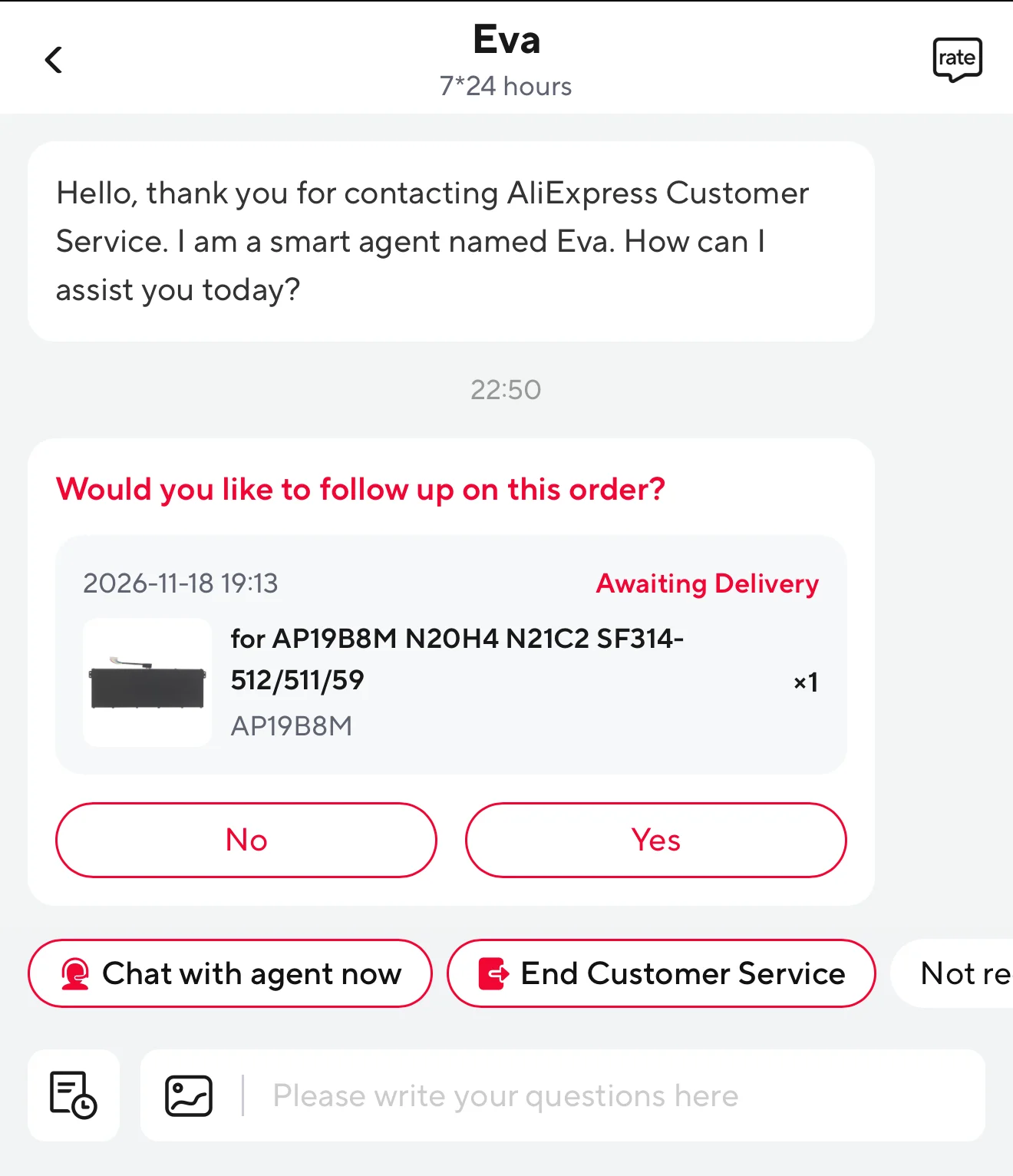
At the start of the conversation, Eva may ask whether you need help with a specific order. If your inquiry is unrelated to that order, tap No and continue the conversation.
How to Contact Support Without Access to Your Account
You cannot chat with Eva or an AliExpress customer service agent without signing in. On the website, the Help Center is accessible without signing in, but you must be logged in to open live chat. In the mobile app, the sign-in or registration screen appears as soon as you try to access the Help Center.
If you have lost access to your account or it has been suspended, do not create another account just to contact customer service. Section 4.1 of the AliExpress Terms of Use allows users to register only one account without prior approval from AliExpress. Suspected registration or control of multiple accounts may be grounds for account suspension.
Before looking for alternative ways to contact customer service, try to regain access to live chat:
- Check whether you are still signed in to your account on another device or in a different browser. If you still have access, do not sign out until the issue is resolved.
- Use an alternative sign-in method previously linked to your account or follow the account recovery process.
- If your account has been suspended, follow the appeal process if this option is available.
If you are unable to access live chat, contact customer service by email. The current email address for customer inquiries and other contact options are listed on the AliExpress contact information page.
In your email, include the email address or phone number associated with the account you can no longer access, describe the issue, and attach a screenshot of the error message or account suspension notice if available. If your inquiry also concerns orders that have not yet been completed, include the relevant order numbers. AliExpress does not guarantee that contacting customer service by email will restore access to your account, and there is no specified response time.
How to Contact an AliExpress Support Agent
AliExpress live chat starts with Eva, a chatbot that provides automated responses and suggested solutions. For issues that require further assistance, you can connect to a customer service agent (Customer Service Agent).
Connecting through the chat button. Click or tap “Chat with agent now”. This button may be available as soon as you open the chat or appear later during your conversation with Eva.
Connecting using a command. To reach a support agent more quickly without a lengthy conversation with the chatbot, send Eva the following message:
livechat_link
This command initiates a connection to a support agent even when the corresponding button is not available in the chat. The command was successfully tested multiple times on both the AliExpress website and mobile app.
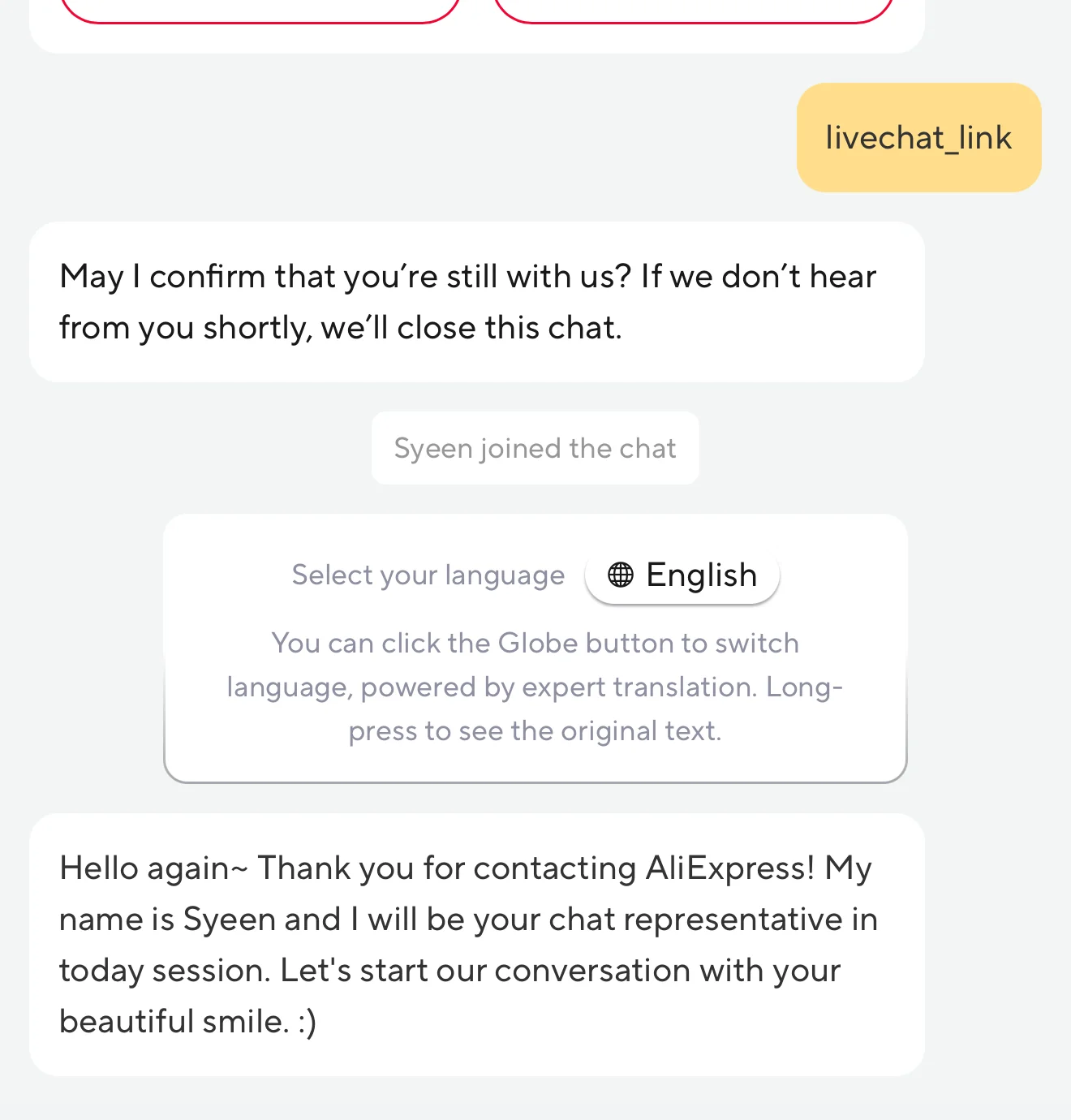
Depending on how busy customer service is, you may be connected immediately or placed in a queue. If you need to wait, the system may display your position in the queue, an estimated waiting time, and an option to cancel the request.
When a support agent joins the chat, a system notification appears, and the agent’s name replaces Eva’s name.
If no agents are available, you may see the following message:
We are sorry, all of our agents are currently occupied. Please try again later.
Do not close the chat immediately after seeing this message. During testing, a support agent joined the conversation on one occasion despite the notification that all agents were busy.
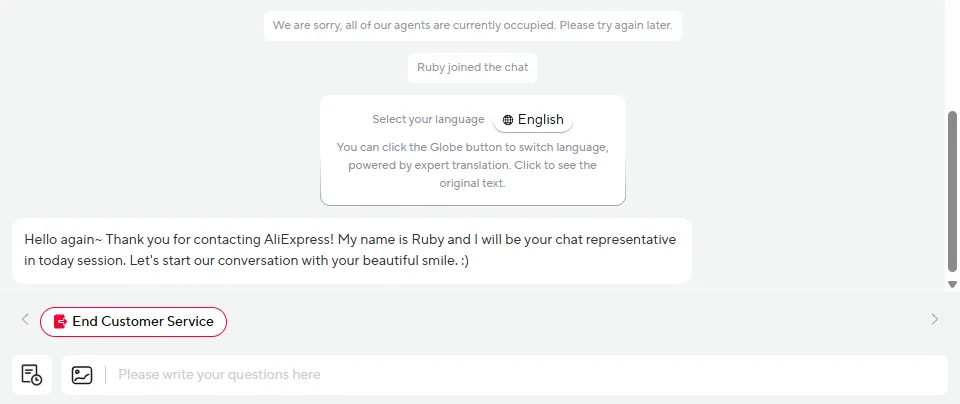
If no agent joins the chat, try again later.
Language Settings and Translation in AliExpress Live Chat
The language of the chat interface for both Eva and customer service agents is automatically determined by your AliExpress language settings. To change the chat interface language on the website or in the mobile app, simply select your preferred language in the AliExpress settings.
AliExpress uses built-in automatic translation when you chat with a support agent, so the agent does not need to speak your language. By default, the translation language matches your AliExpress language settings, but you can change it during the conversation without changing the interface language.
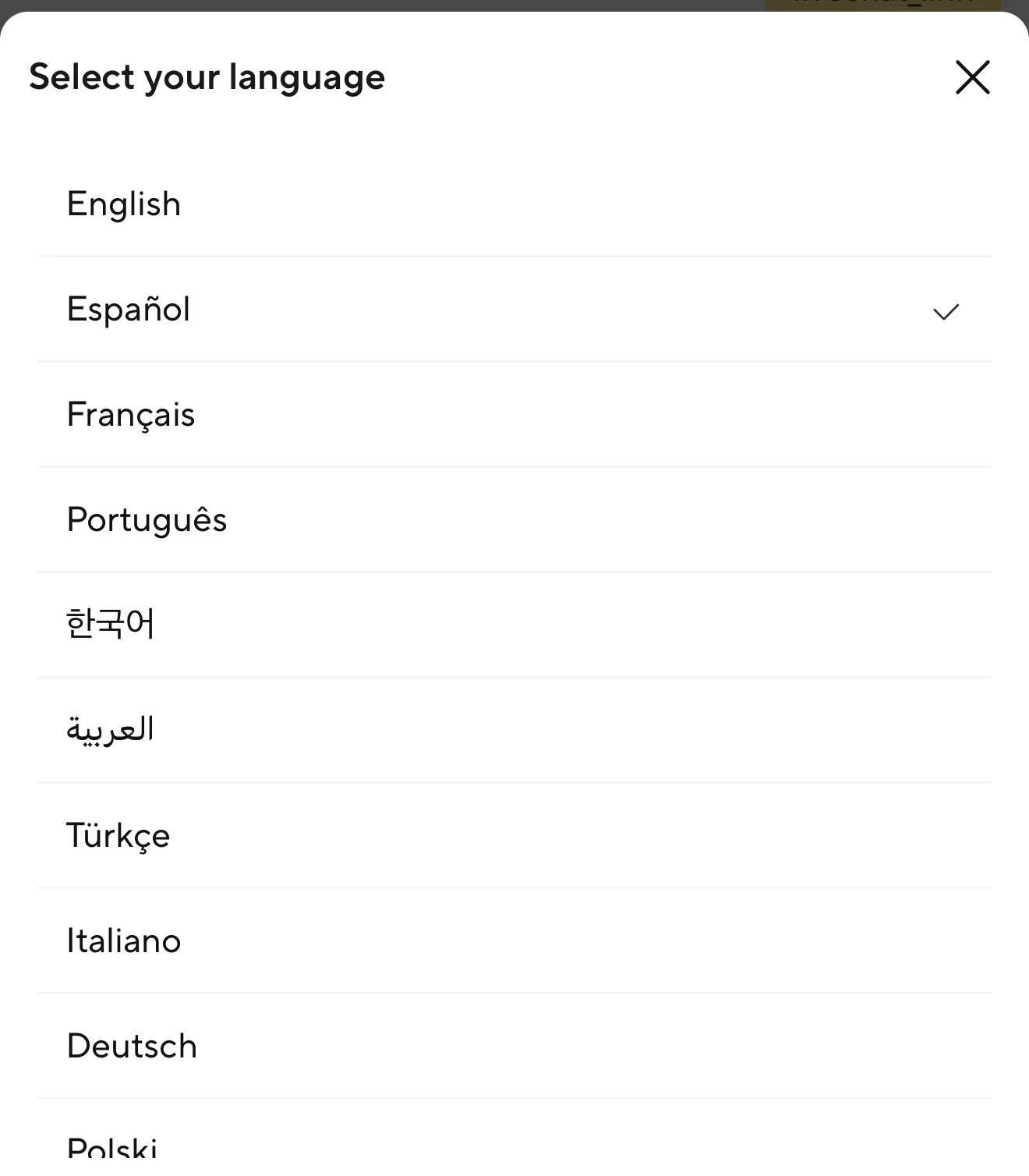
How to change the translation language:
- Once a support agent joins the chat, click or tap the globe icon in the Select your language section.
- Choose your preferred language from the list.
Supported translation languages (15) — English, Spanish, French, Portuguese, Korean, Arabic, Turkish, Italian, German, Polish, Dutch, Japanese, Russian, Ukrainian, and Hebrew.
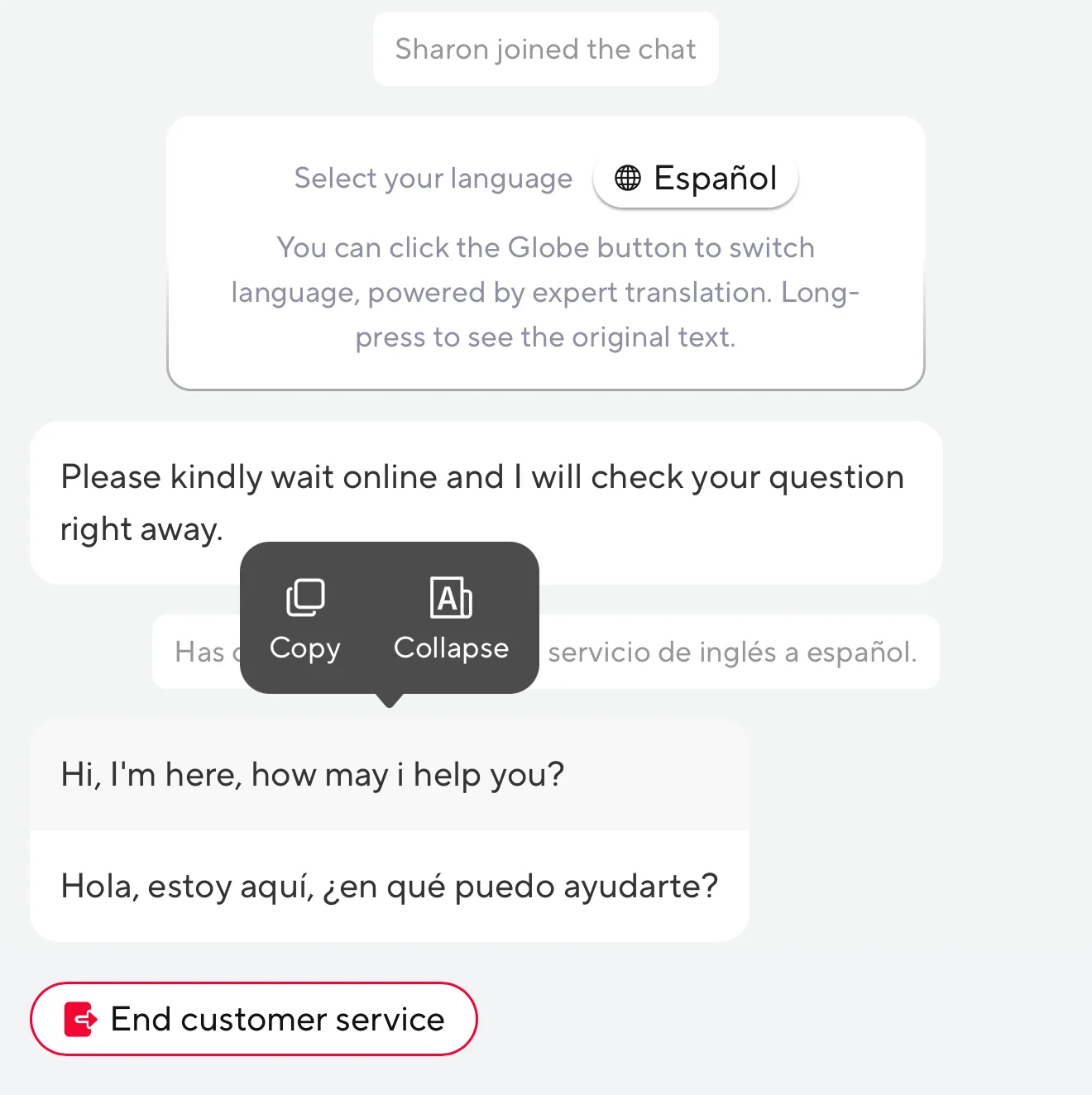
If an agent’s translated response is unclear or you are unsure about the accuracy of the translation, you can view the original message:
- On the AliExpress website — click the agent’s message.
- In the mobile app — press and hold the agent’s message.
How to Write a Customer Service Request
Vague messages such as “I can’t make a payment” or “There’s a problem with my order” do not give a support agent enough information to address the issue. To reduce unnecessary follow-up questions and avoid irrelevant suggestions, include the following information in your request:
- Describe the issue. Explain exactly what happened, the circumstances surrounding the problem, and when it occurred while using AliExpress.
- Provide relevant details. Depending on the issue, include the order number, promo code, error code, or the exact wording of the error message.
- Explain what you have already tried. Describe the steps you have taken to resolve the issue and their results.
- Provide supporting evidence. If necessary, attach screenshots of error messages, previous conversations, or other relevant information that can help the agent assess the issue.
- Make a specific request. Clearly state what information you need, what you want the agent to check, or what action you would like customer service to take.
Since AliExpress uses automatic translation, write short, clear sentences and avoid slang, irony, and uncommon abbreviations. If you have several unrelated questions, address them one at a time.
Never share passwords, one-time verification codes, full payment card numbers, or CVV/CVC security codes in the chat. Before sending screenshots, hide any sensitive information that is not needed to address your issue.
Ending the Chat, Service Ratings and Chat History
Ending the chat. You can end your conversation with a support agent by clicking or tapping End Customer Service. If you do not respond to the agent’s messages for a certain amount of time, a warning appears with a countdown timer and two options:
- Continue to chat — continue your conversation with the agent.
- End service — end the current chat session.
If you do not respond before the countdown ends, the session will close automatically and the agent will leave the chat. You can reconnect if necessary, although you may be connected to a different agent.
Rating customer service. You can rate the quality of customer service using the Rate button at the top of the chat window. The rating form may also appear after the conversation ends. There are five rating options, and on the website, you can also leave a written comment of up to 280 characters.
Leaving a rating provides feedback on service quality but does not replace a follow-up request about an unresolved issue.
Chat history and service records. In the web version of the chat, you can access previous messages using the View history messages option. The Help Center also has a separate Service Records section. A document icon with a clock may also appear next to the message input field in the Eva chat on both the website and the mobile app.
Since it is unclear how long chat history is retained or whether it is fully synchronized across devices, save your own copies of important messages from support agents.
What to Do If AliExpress Customer Service Doesn’t Help
Reaching a support agent does not guarantee that your issue will be resolved. If the agent provides generic responses, leaves your questions unanswered, or tells you that further investigation is needed without providing specific details, find out the current status of your request and what can be done next.
- Ask for a specific answer. If the agent has not answered your question, point out exactly what remains unanswered rather than repeating your entire request.
- Ask to escalate your case. If the agent cannot resolve the issue directly, ask whether a senior support representative or the relevant department at AliExpress can handle your case.
- Check the status of your request. If your issue has been referred to another department, ask whether a case has been created, whether a reference number is available, when you can expect a resolution, and how you will receive a response.
- Follow up with customer service. If the actions outlined by the agent have not been taken or you have not received a response within the stated time frame, refer to your previous case and ask for an update on the results of the review.
It is important to distinguish between a request that has not been properly reviewed and one that has been denied in accordance with AliExpress policies. If your request is denied, ask for the specific reason and whether you can appeal the decision. Escalating your case or contacting customer service again does not guarantee that AliExpress will change its decision.