Sometimes you come across a piece of clothing, an accessory, or a gadget you like, but you don’t know its name and can’t come up with the right keywords to search for it. On social media and classifieds, these same items are often sold at a much higher price, even though they’re available on AliExpress for significantly less.
That’s exactly why the platform introduced image search – a convenient tool that lets you find products using a photo instead of a description.
This feature is available both in the mobile app and on desktop. Simply upload an image or take a photo, and the system will instantly show all available listings from different sellers. It saves time, helps you avoid overpaying, and gives access to a wide range of similar products. If the built-in search doesn’t return the desired results, you can use an alternative method – searching via Google with a filter specifically for AliExpress.
Search by photo in the AliExpress mobile app
In the AliExpress mobile app, the image search feature is встроена прямо в строку поиска and allows you to quickly find products without typing names or keywords:
- Open the AliExpress app and tap the camera icon on the right side of the search bar.

- Grant access to your camera and gallery if prompted. For better privacy, you can choose “Only this time” or allow access to selected photos only.
- Take a photo of the item or upload an existing image from your phone.

- Wait for the image to be processed and browse the results with all available listings.


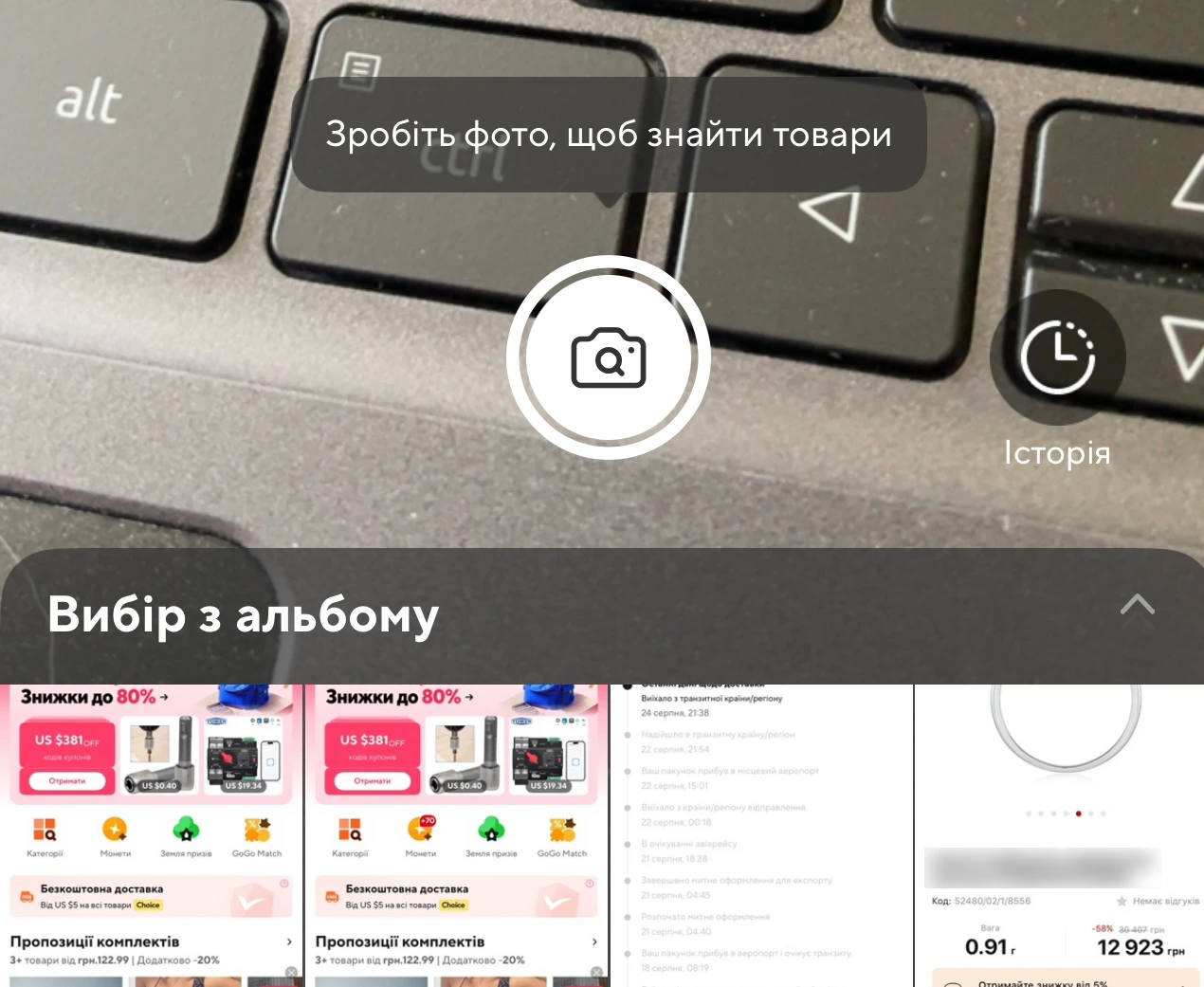

For the most accurate results, use clear images without cluttered backgrounds or watermarks. If the item has small details, it’s helpful to take several photos from different angles. This significantly increases the chances of finding the exact product.
You can immediately see prices, product ratings, and some shipping details in the results, making it easier to compare options and choose the best deal.
Always check the shipping cost before buying. Sellers often list a lower product price but exclude shipping fees, which can make the final cost equal to or even higher than competing offers.
Search by photo in the AliExpress app is fast and convenient – just one image is enough to get a list of similar products and make a purchase without overpaying.
How to search by image on a computer
In 2024, AliExpress introduced image search directly in the browser. It’s one of the easiest methods since it doesn’t require any permissions or extra setup.
To use it, follow these steps:
- Click the square icon with a magnifying glass to the left of the search field.
- Select “Upload a photo” and upload the image from your computer.

- Browse the search results with all available product listings.
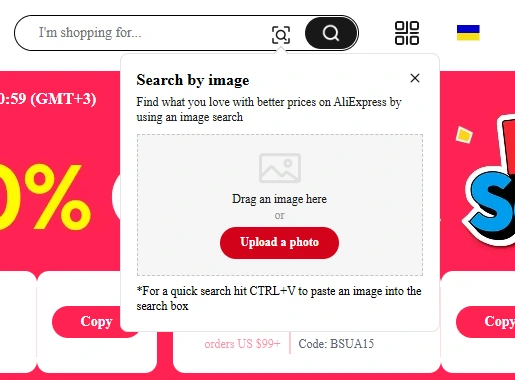
This method is even simpler than using the mobile app since you don’t need to grant access to your camera or gallery – you just need the image on your computer.
In many cases, this is how you can find the exact same item at a much lower price than what resellers offer on social media or marketplaces.
You don’t need to install any third-party plugins or browser extensions to search by image. Using the official AliExpress app or website is safer and more reliable.
Search by photo via Google on AliExpress
Another effective way to find a product is by using Google Images. It can help locate items that don’t always appear in AliExpress’s built-in search results.
- Save the image to your computer or copy its link.
- Go to Google and click the camera icon in the search bar.
- Upload the image or paste the link.
- Review the results – Google will show all websites where the image appears.
To filter only AliExpress results, add site:aliexpress.com to your search query. This helps eliminate irrelevant results and focus only on listings from the marketplace.
What products you can find
Clothing and shoes, watches, jewelry, electronics, home appliances, home goods, and decor – all of these can be found on AliExpress using image search. In fact, almost any item you see in a photo can often be found on the platform at a much better price.
Using Google image search is especially useful when AliExpress’s built-in tool doesn’t return results or when you’re trying to find less visible listings that aren’t promoted in standard search results.
Overall, image search is a versatile solution that works across mobile, desktop, and Google. It helps you quickly navigate thousands of listings, find products without complicated descriptions, and compare prices from different sellers. This approach makes shopping on AliExpress easier, safer, and more cost-effective.
Frequently Asked Questions
Can you search for a product by photo on AliExpress without registration?
Yes, the feature works even without logging in. However, to place an order, you’ll still need to sign in or create an account.
What image formats does AliExpress support?
It’s best to upload images in JPG or PNG format. The file size shouldn’t be too large, otherwise the upload may take longer.
What should I do if the search doesn’t return the right result?
Try using a different image — clearer, without background clutter, or taken from another angle. If there are still no results, use Google image search with the site:aliexpress.com filter.
Can you search for products using photos from social media?
Yes, simply save the image or take a screenshot and upload it to AliExpress or Google Images.
Will the product found always be original?
Not necessarily. AliExpress features both original brands and replicas. Before buying, check reviews, store ratings, and customer photos.
Can you sort results by price or number of orders?
Yes, after uploading an image, you can use standard filters such as price, number of orders, and best match.